Case study
Indy7 Palletizing Cell Digital Twin
A control and run-history app for a Neuromeka Indy7 palletizing cell. I built it in simulation first, then ran palletizing on the real Indy7.
- Context
- Personal project, alongside the Physical AI & Smart Factory Training Program
- Period
- Sep 2026 – present
- Status
- Ran palletizing on the real Indy7; no hardware measurements yet
- Stack
- Python · FastAPI · WebSocket · SQLite · Three.js · IndyDCP3 · Modbus TCP
- How it was built
- My project: I chose the problem, set the scope and system boundaries, and checked the behavior in simulation. An AI coding agent wrote much of the implementation under my direction.
The problem
In the training program's palletizing exercise, a Mitsubishi PLC, a Neuromeka Indy7 robot, and Python code all have to agree before anything moves.
When the robot doesn't move, the cause can be a ladder rule, a parameter, a connection, or the code. My classmates and I could spend tens of minutes finding which one. I wanted a system that shows where the chain stopped.
What I built
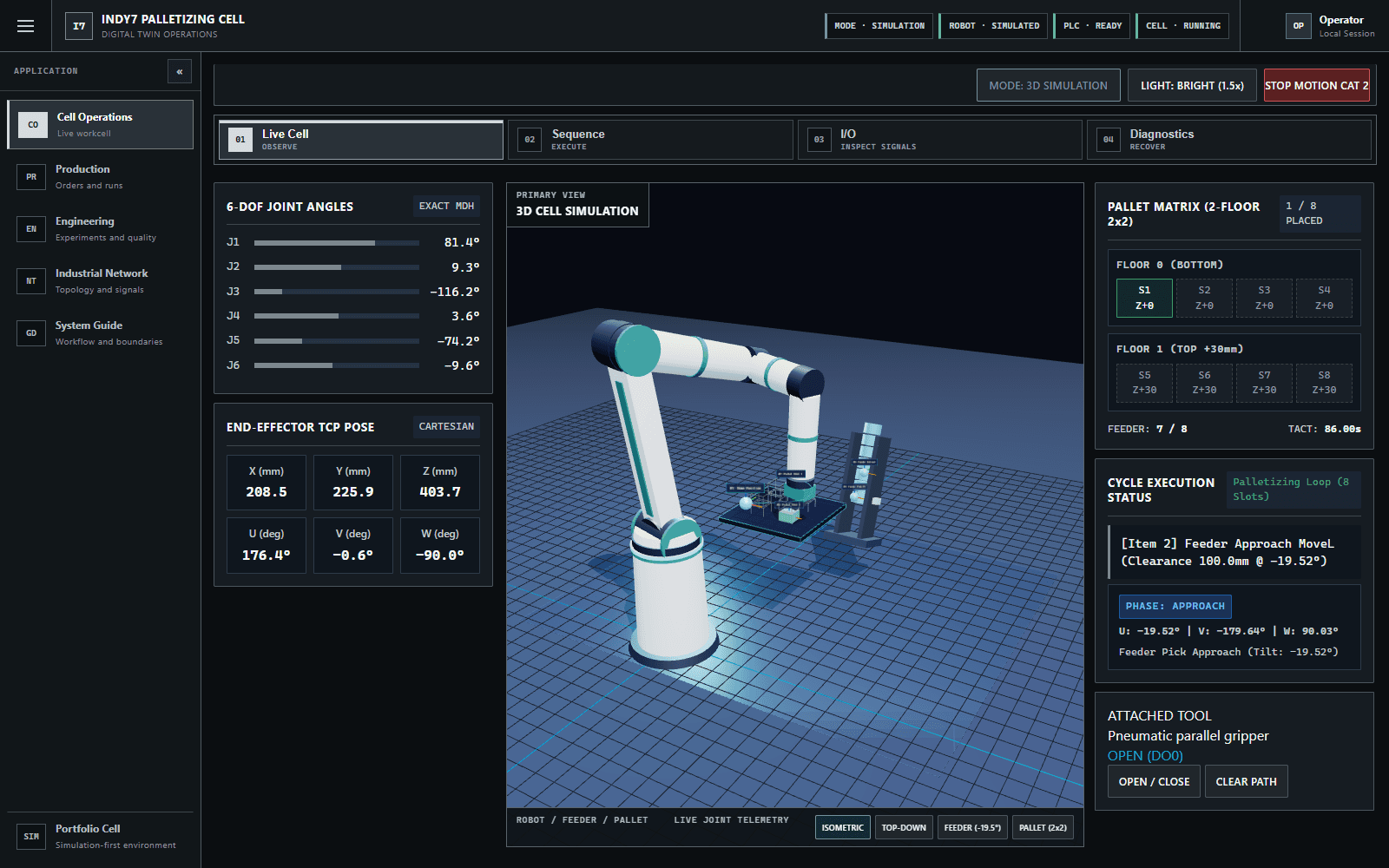
- A 3D twin of the cell with live joint telemetry and numerical inverse kinematics, so Cartesian moves animate the real joint angles.
- A workcell state machine for palletizing and put-back, with a single owner per running program, latched stops, and explicit recovery.
- A named PLC signal contract (part present DI3, start palletize DI8, start put-back DI9, stop request DI15, gripper coils 0/1) behind interchangeable simulated, Modbus TCP, and robot-I/O gateways.
- A SQLite evidence store for runs, cycles, step durations, state transitions, faults, and operator actions, with a production console to inspect them.
Architecture
Walkthrough
One job, one failure, recorded in simulation on Oct 1, 2026.
1.A start request that goes nowhere
The pallet was full and the part sensor (DI3) was off. A start pulse on DI8 was rejected, and the signal panel shows the first unmet condition instead of failing silently.
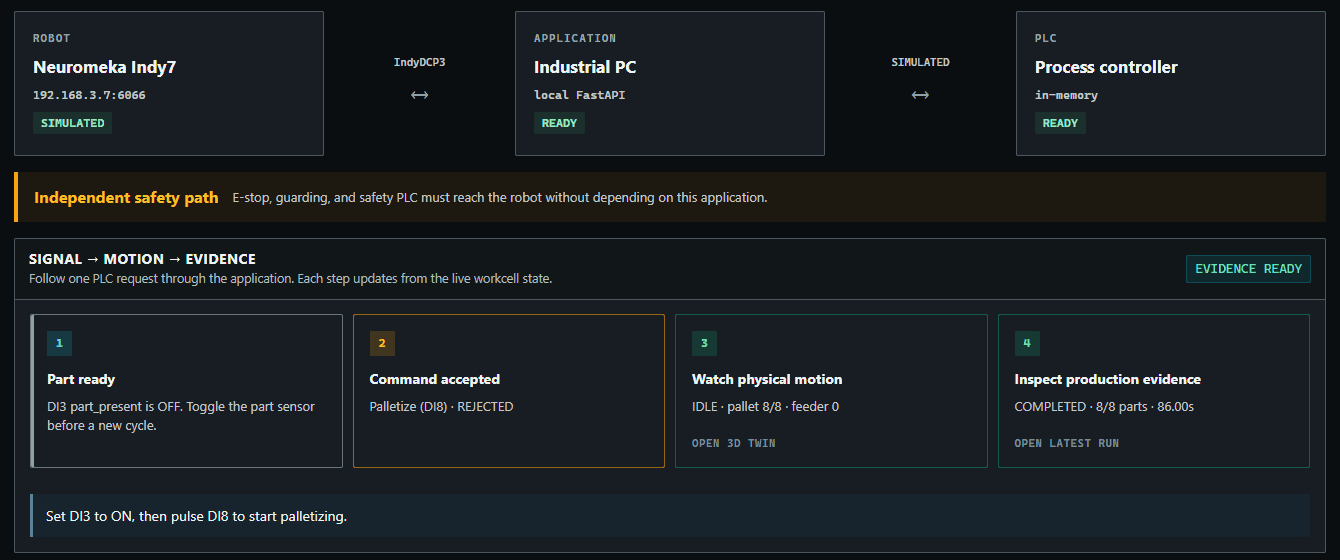
Blocked: DI3 off, so DI8 is rejected. 2.The same request, accepted
With DI3 on, the DI8 pulse goes through the same command path the operator screen uses. The cell moves to RUNNING. A second start while running is rejected with “Cell is busy; stop the active operation first.”
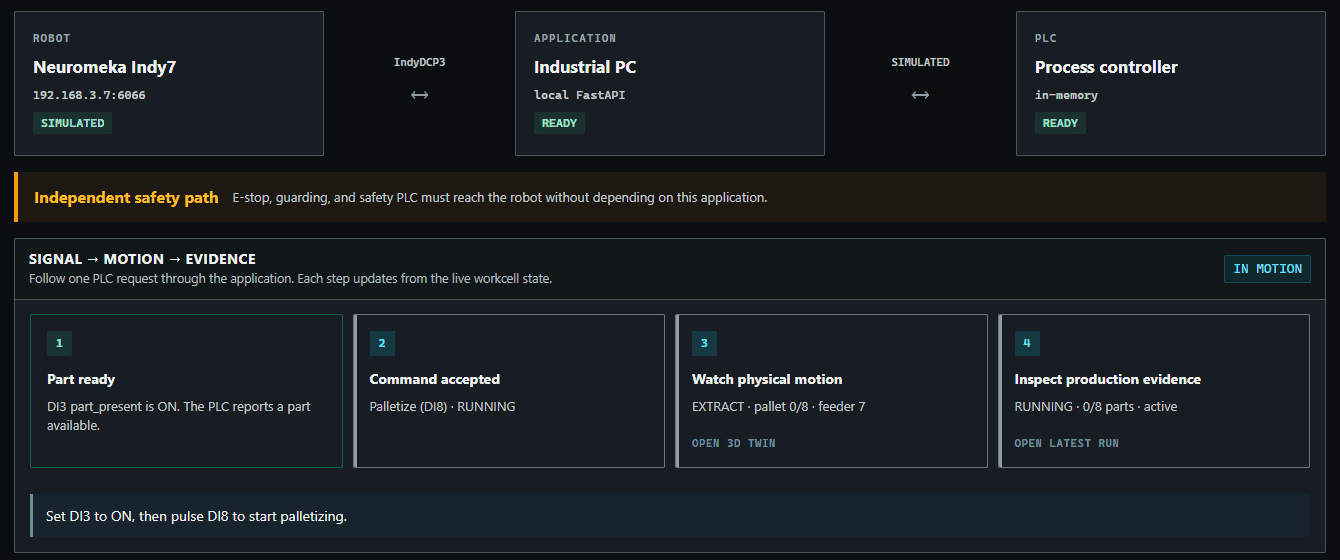
Accepted: PLC input → command → motion → run record. 3.A fault mid-cycle
I injected a motion timeout while the robot was extracting a part from the feeder. The cell latched FAULTED and named the interrupted step.
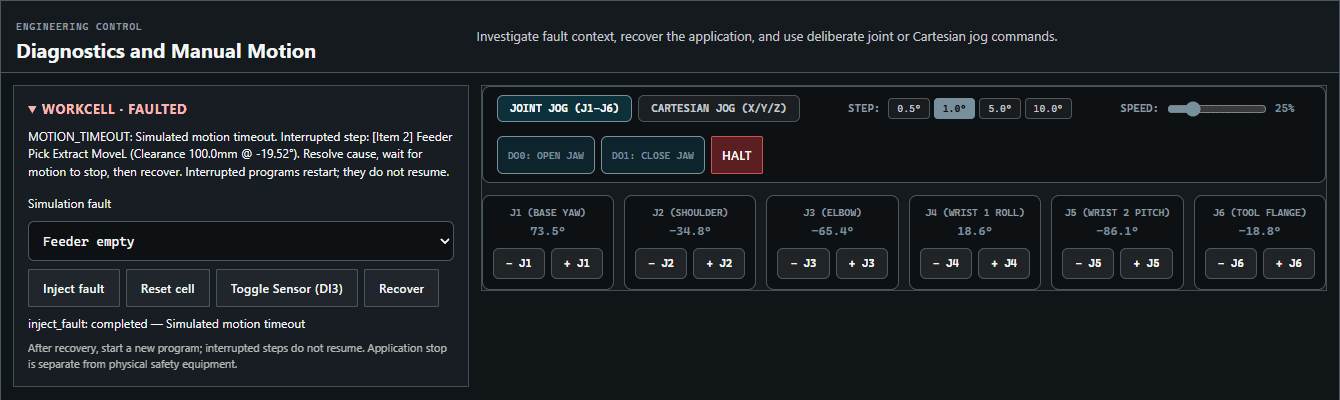
The fault names the step it interrupted. 4.Recovery has to be deliberate
The first Recover was rejected: “Reconcile the held workpiece before recovery.” Only after resetting the inventory did the cell return to IDLE. Interrupted programs restart from the beginning instead of resuming, and the event stream keeps every step.
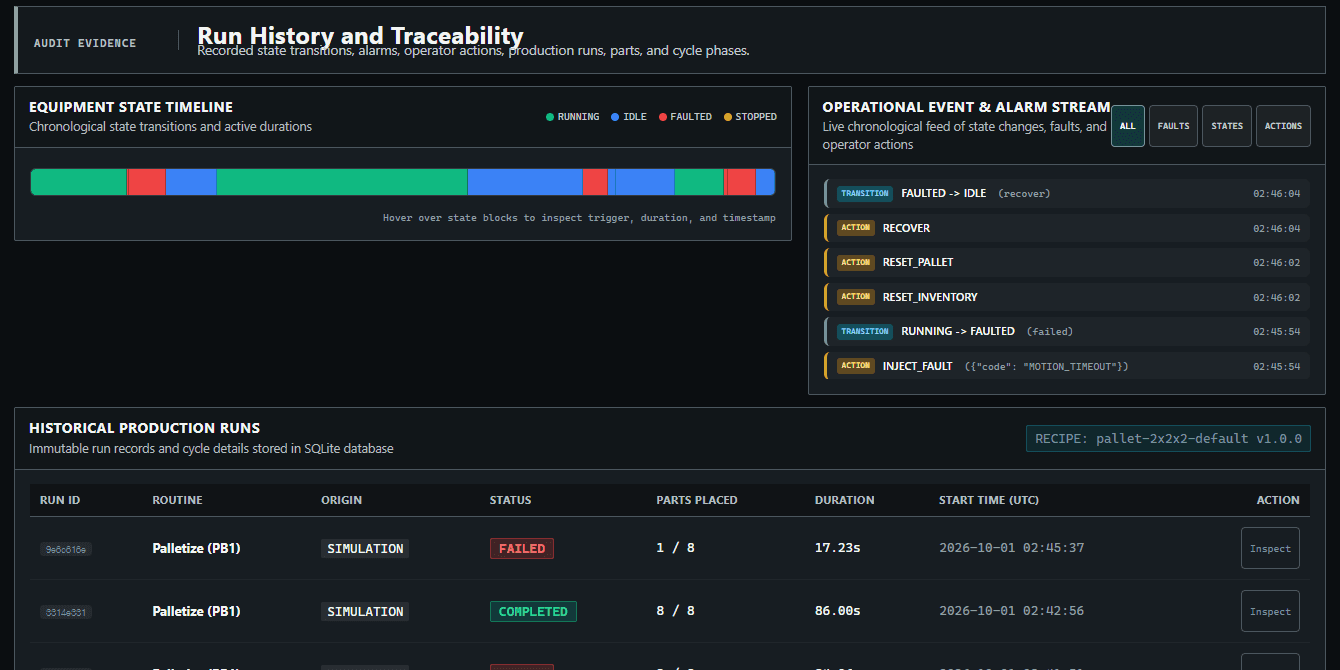
Every transition and operator action is recorded.
Design decisions
- One command path. HTTP, WebSocket, and PLC inputs all go through the same validation, so a PLC pulse can't skip the busy check the operator screen enforces.
- Stops latch and recovery never moves the robot. Starting again is a separate, explicit action.
- Network access is deny-by-default. Modbus TCP connects only when the profile is marked reviewed and both endpoints are inside the configured OT subnet. Endpoints can't be edited from the browser, and the passive preflight never opens a connection.
- Safety stays outside the application. The application's stop is not an E-stop; guarding and the safety PLC must reach the robot without depending on this software.
- Layered packages (domain, application, workcell, integrations, persistence, web), with a CI check that rejects imports pointing the wrong way.
How it's verified
- 72 automated unit and integration tests pass (run Oct 1, 2026).
- The architecture boundary check passes.
- After several rounds of jog debugging, palletizing ran on the real Indy7, with an iPad used as a teach pendant for the app.
- The Modbus TCP client's framing, reads, writes, failures, and reconnects are tested against a fake transport.
What this doesn't show yet
- The walkthrough above was recorded in simulation. Palletizing has run on the real Indy7, but I have no measurements from hardware runs yet, such as cycle time.
- The kinematic simulation has no collision checking, dynamics, or gripper contact model.
- The console's experiment timings are synthetic estimates, not measured cycles, so I don't quote them as performance.
Next
- Record measurements from hardware runs, such as cycle time.
- Turn “start requested, but the robot didn't move” into a guided diagnosis timeline.
- Record a short video of the full walkthrough.